
EasyPart 3D
Design brackets, plates and enclosures for 3D printing in the browser – exact millimetres, real screw holes, rounded edges and text – and export a checked STL.
Opens at bsite.se/app/easypart-3d/
Maturity
- Idea(completed)
- Prototype(completed)
- Alpha(completed)
- Beta(current stage)
- Promoted
About the project
EasyPart 3D is for the moment when you need a small plastic part – a bracket for the wall, a plate with four holes for a Raspberry Pi, a box for some electronics – and do not want to learn a CAD program to get it. You add a shape, type its size in millimetres, and say where the screw holes go: four M4 holes, ten millimetres from the edges. The part on screen is real geometry, and so is the file you download.
Everything you add stays editable. A hole is not a dent in a mesh but a line in a list: pick it, change the diameter or the pattern, and the part rebuilds. The same goes for cutouts, rounded or chamfered edges and engraved text, and for the six templates, which are ordinary parts with their measurements exposed.
Under the surface is a document of plain parameters and a geometry kernel – Manifold, compiled to WebAssembly – running in a background worker, so the interface never waits for it. Before a file leaves the browser it is checked for a closed, correctly oriented surface, and the app says plainly what it has not checked. Nothing is uploaded; there is no account and no server behind it.
Current state
What works
- Boxes, plates, cylinders, spheres and tubes with exact millimetre dimensions, typed in or dragged in the 3D view
- Screw holes with M2–M8 clearance presets, counterbores and countersinks, placed as a single hole, a row, a grid or four corners a set distance from the edges
- Rectangular, round and slot cutouts and pockets; rounded and chamfered edges; engraved and raised text in four fonts
- Six templates – mounting plate, wall bracket, electronics enclosure with lid, cable holder, spacer and storage tray – that stay fully editable
- STL and 3MF export that is checked for a closed surface first, with honest hints about thin walls, tiny holes, overhangs and parts close to the edge of the print bed
- Projects save themselves in the browser, with undo and redo, project files for backup, English and Swedish, light and dark themes
What isn’t finished
- Nobody but its author has printed a part from it yet, and it has only been tried in Chromium – not in Safari, Firefox or on a real touch screen
- The exports slice cleanly with Bambu Studio's command-line slicer for the Bambu Lab A1, but have not been opened in the slicer's window or printed
- No threads, no free-form fillets on arbitrary edges, no STL import and no STEP export
- Projects live only in this browser; clear the site data without exporting a project file and they are gone
Why is this project on BSite?
- Early prototype
EasyPart 3D promises parts that fit, and that promise can only be kept by real prints. The geometry is tested hard in code – every export is checked, and the templates are swept across their whole parameter range – but a design tool for beginners is proven by beginners. It stays in the lab until people other than its author have printed parts from it and come back for a second one; then it moves to EverydayApps, and it may deserve a domain of its own.
Screenshots
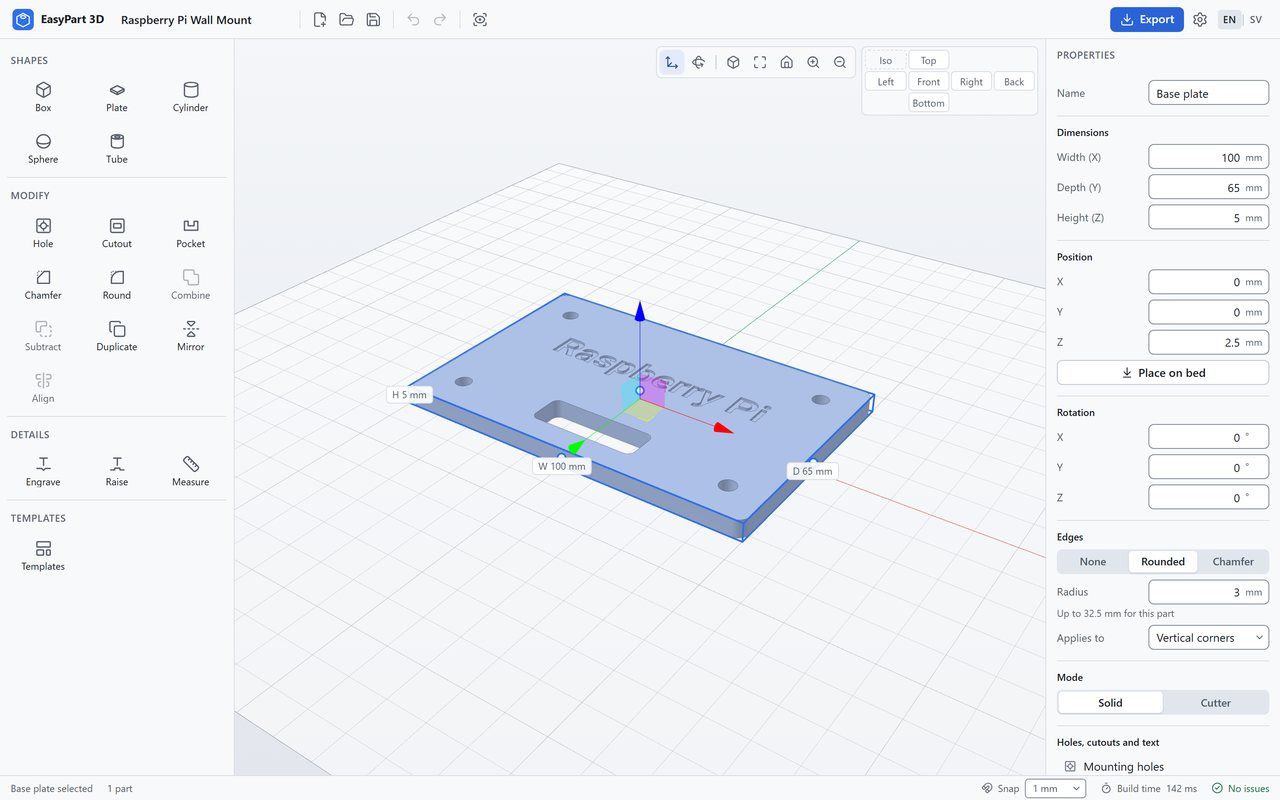
The editor with the sample mounting plate selected in the 3D view – four holes, a cable cutout and engraved text – with width, depth and height labels and the properties panel on the right. 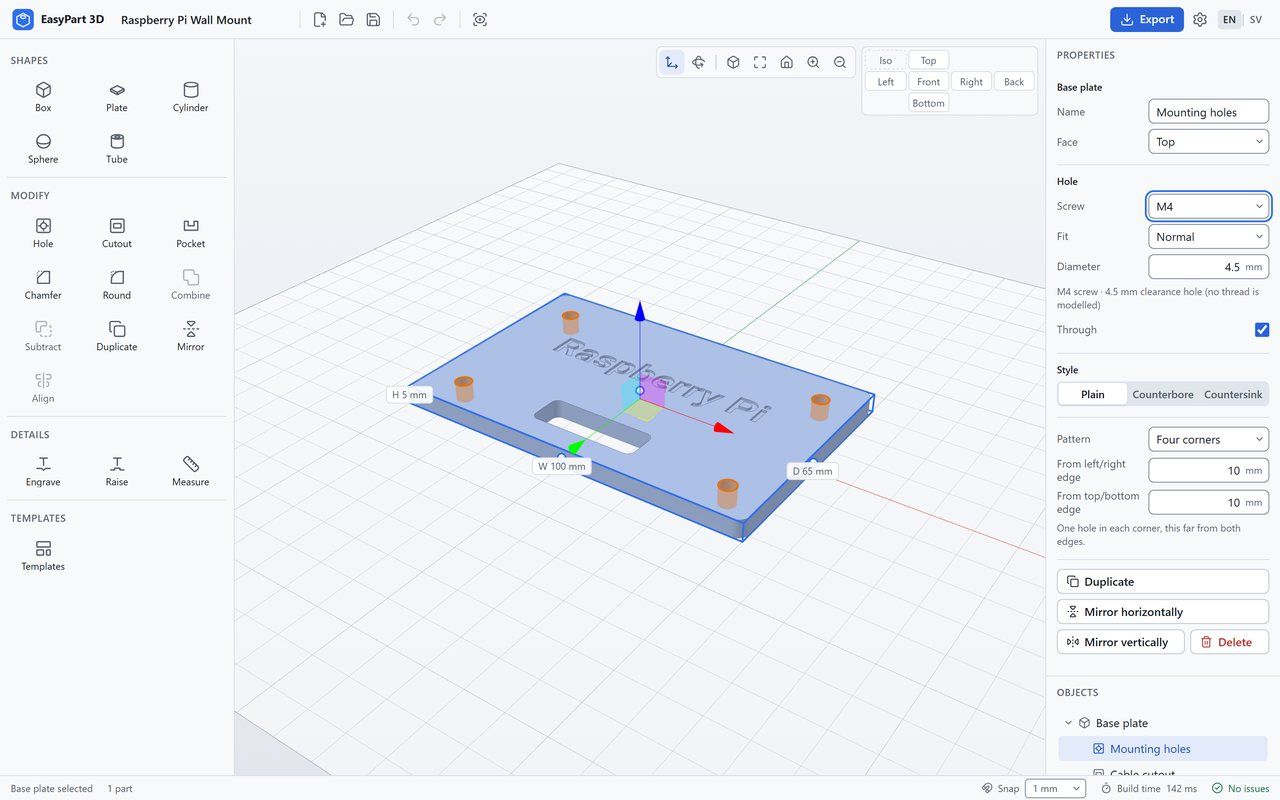
The properties of a screw hole feature – M4 preset, normal fit, 4.5 mm clearance diameter, counterbore, and a four-corner pattern 10 mm from the edges. 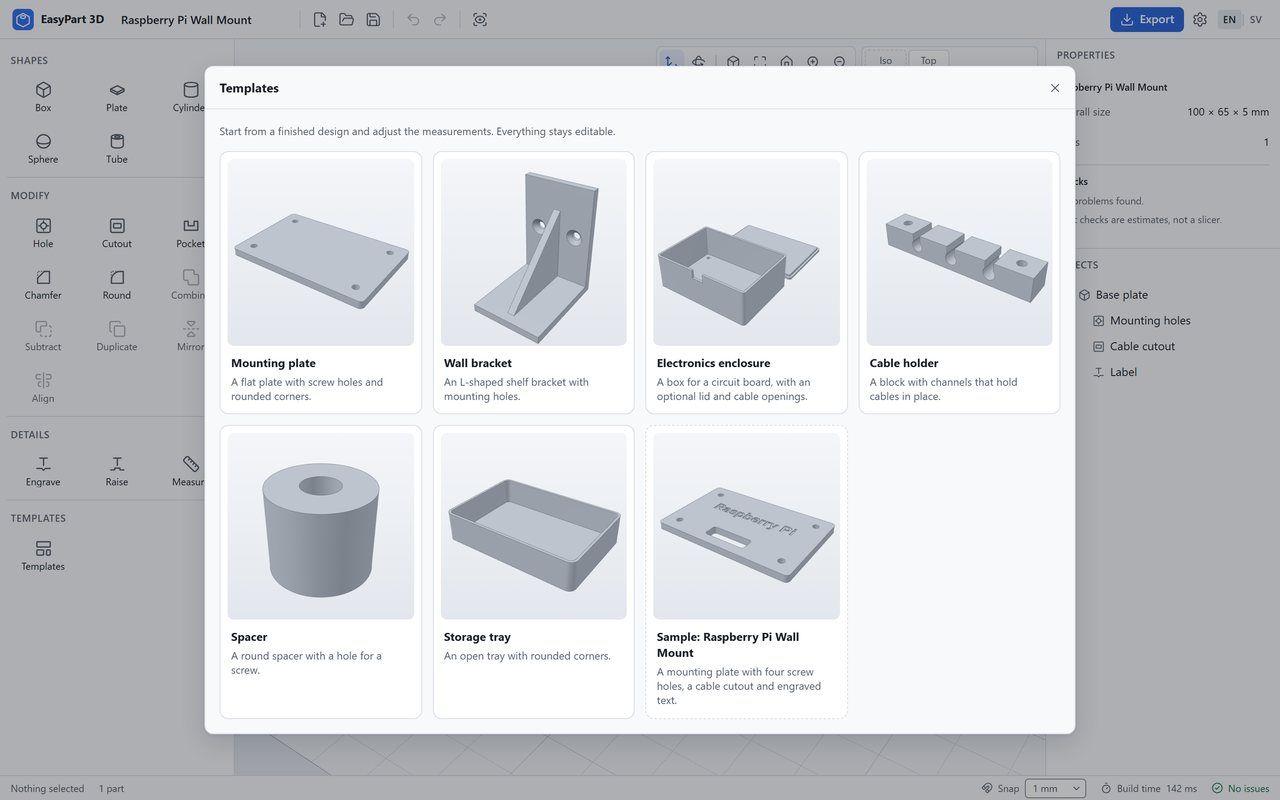
The template gallery with rendered previews of a mounting plate, wall bracket, electronics enclosure, cable holder, spacer and storage tray. 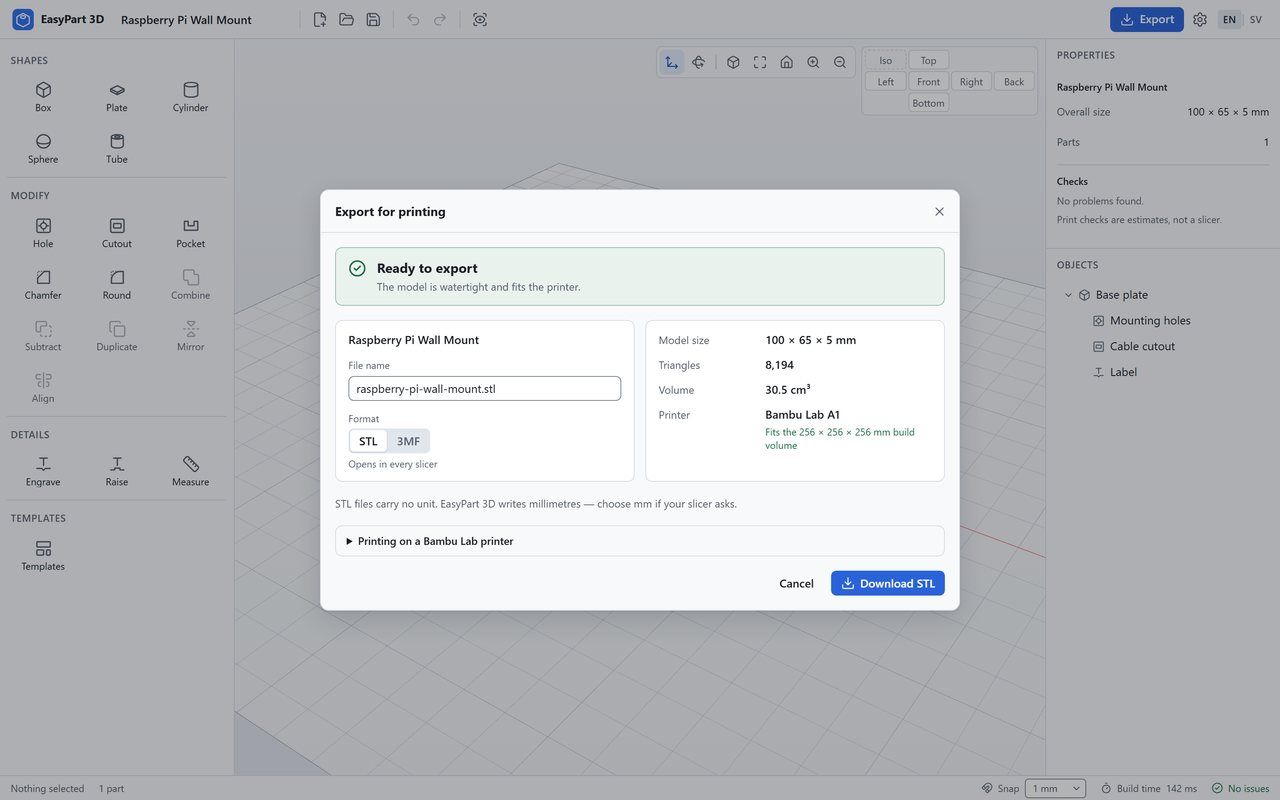
The export dialog showing Ready to export, model size 100 × 65 × 5 mm, triangle count, volume and that the part fits the Bambu Lab A1. 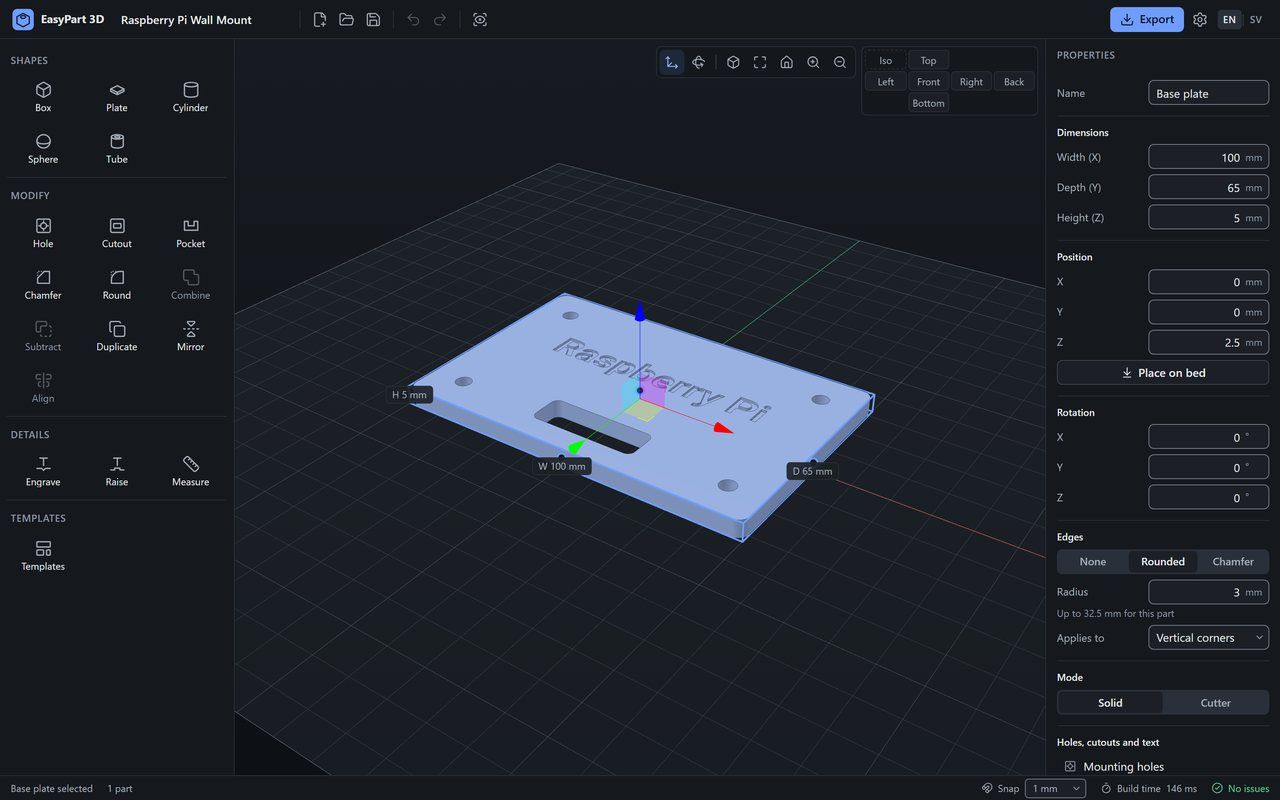
The same editor in the dark theme.
Development log
Designed, built in fifteen reviewed tasks with a final whole-project review, and published in the lab at bsite.se/app/easypart-3d/.