
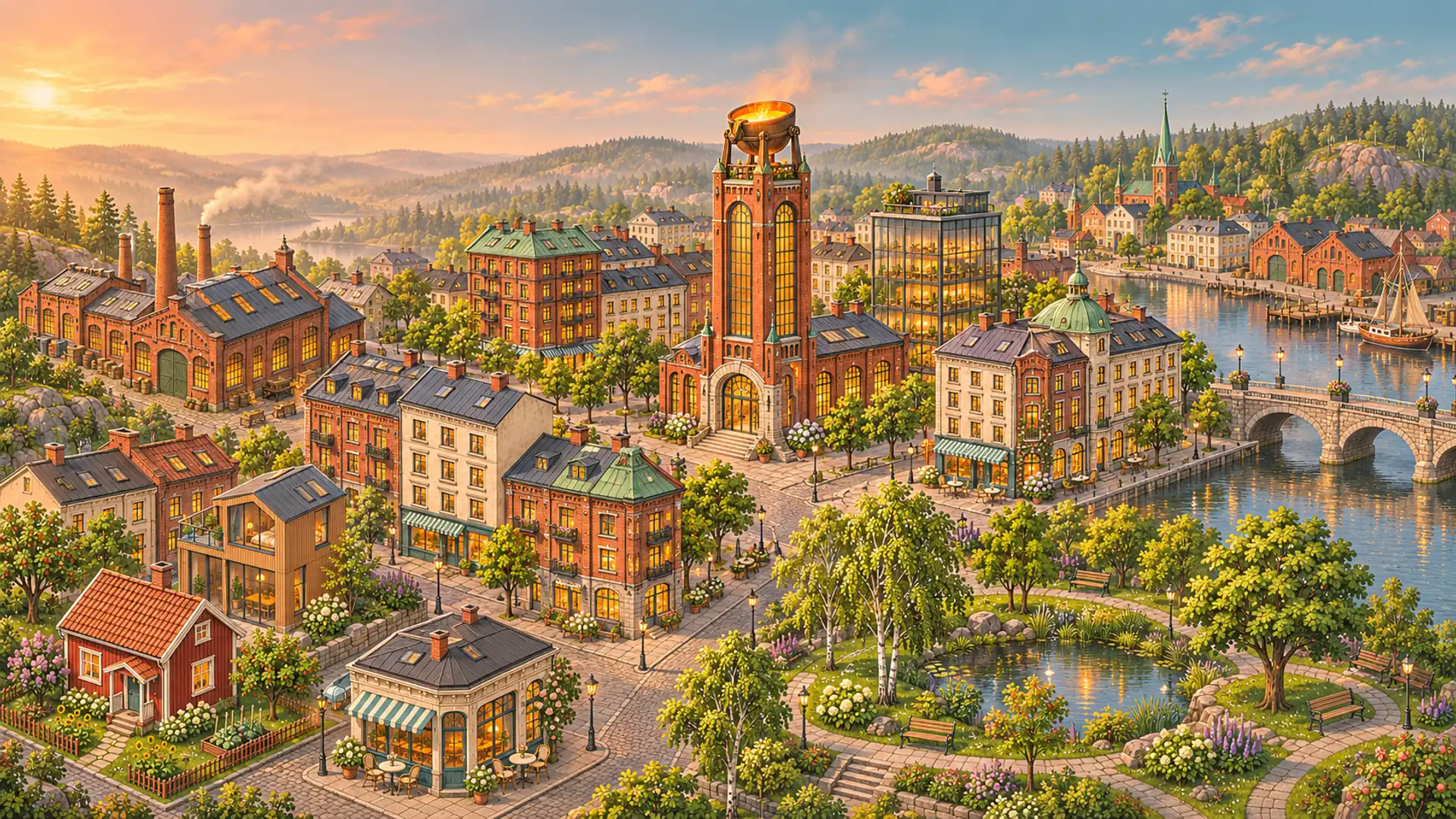
About the game
Urban Foundry is an original city-building and management simulation that runs entirely in your browser. You start with empty land and a modest treasury. You build roads, zone land for homes, commerce and industry, supply electricity and water, and add schools, clinics, police, fire stations and parks. When the conditions are right, the city grows on its own: buildings rise, fill with residents and jobs, level up into denser blocks — or stand abandoned when something is wrong.
Under the map is a real simulation. Demand for the three zone types follows jobs, happiness, vacancy and taxes. Land value, air pollution, crime and service coverage are calculated tile by tile. Commuters pick routes over your road network and congest it. A municipal budget closes every month, with department funding, policies and loans. Every number can be traced to a cause you can see on an overlay and change.
It is free to play, with no download and no account. Cities are saved in your own browser and can be exported as files. The game is desktop-first with mouse and keyboard, and also works with touch on tablets and phones.
Features
Zone, don’t place
Ten zone types across residential, commercial and industrial land, in three densities, with buildings that grow through up to five levels and merge into larger lots.
Seven road types
From dirt roads to highways, including car-free pedestrian paths. Upgrade in place, and build bridges by drawing a road across water.
Power and water
Seven kinds of power plant from diesel to nuclear, wind that depends on elevation, water towers, pumps, treatment and sewage plants. Utilities follow your roads.
Services with reach and capacity
Education in three tiers, healthcare, police, fire, waste handling, parks, culture and landmarks — each with a coverage radius and a limit on how many people it serves.
Commuter traffic
Residents route to work over your roads, congestion pushes them onto alternatives, and bus stops and metro stations take cars off the street.
A budget that matters
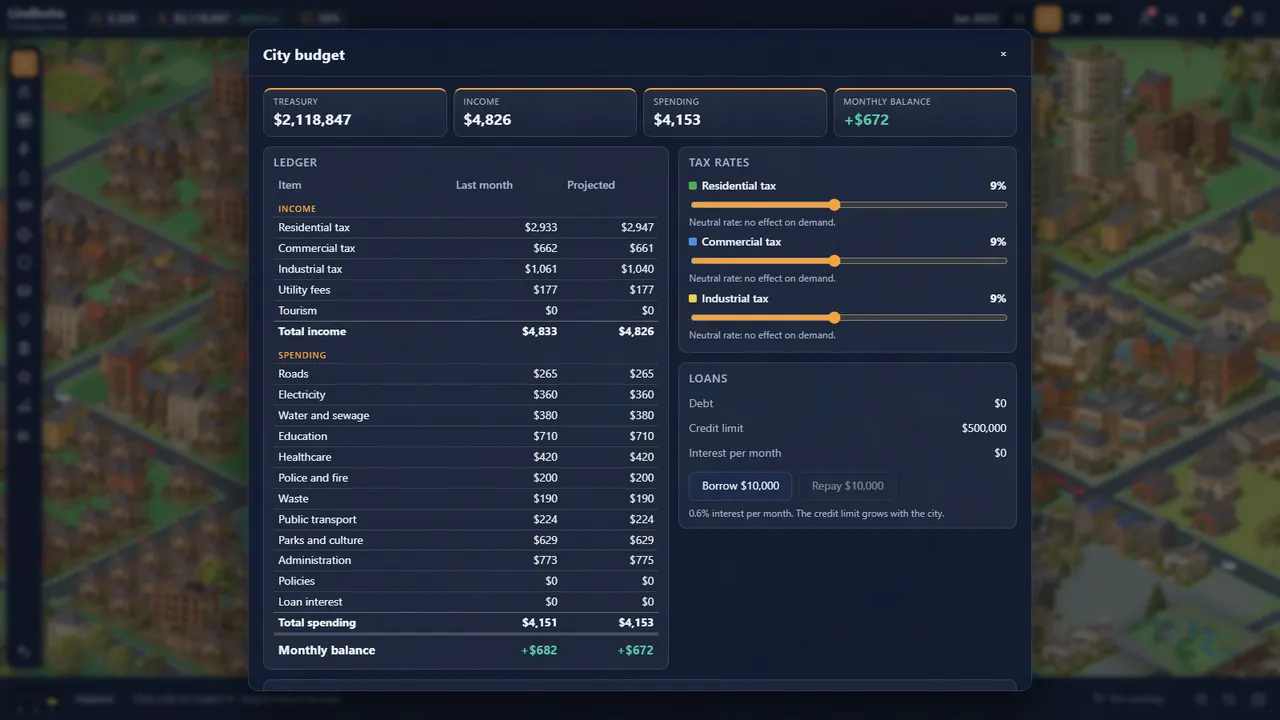
Three tax rates, nine department funding levels, six policies, loans with interest and a monthly statement that shows every line.
Seventeen map overlays
Electricity, water, traffic, land value, air and water pollution, crime, service coverage, density, jobs, happiness, transit, districts and zoning.
Advisors, statistics and districts
Eight rule-based advisors point at real problems, history charts track the city over time, and named districts let you compare neighbourhoods.
Ways to play
Classic mode in three difficulties, an unlimited sandbox, a ten-step tutorial and four challenge scenarios with goals and deadlines.
Six landscapes, four map sizes
Seeded maps from 64×64 to 192×192 tiles: river valley, coast, lakeland, highlands, plains or archipelago. The same seed always gives the same map.
Day, night and optional disasters
A day and night cycle with lit streets, moving traffic and chimney smoke, plus optional events: fires, droughts, heatwaves, storms, floods and recessions.
Saves you own
Autosave to your browser, multiple cities, rename and duplicate, and export or import as a validated JSON file. Works offline once loaded and can be installed as an app.
Screenshots
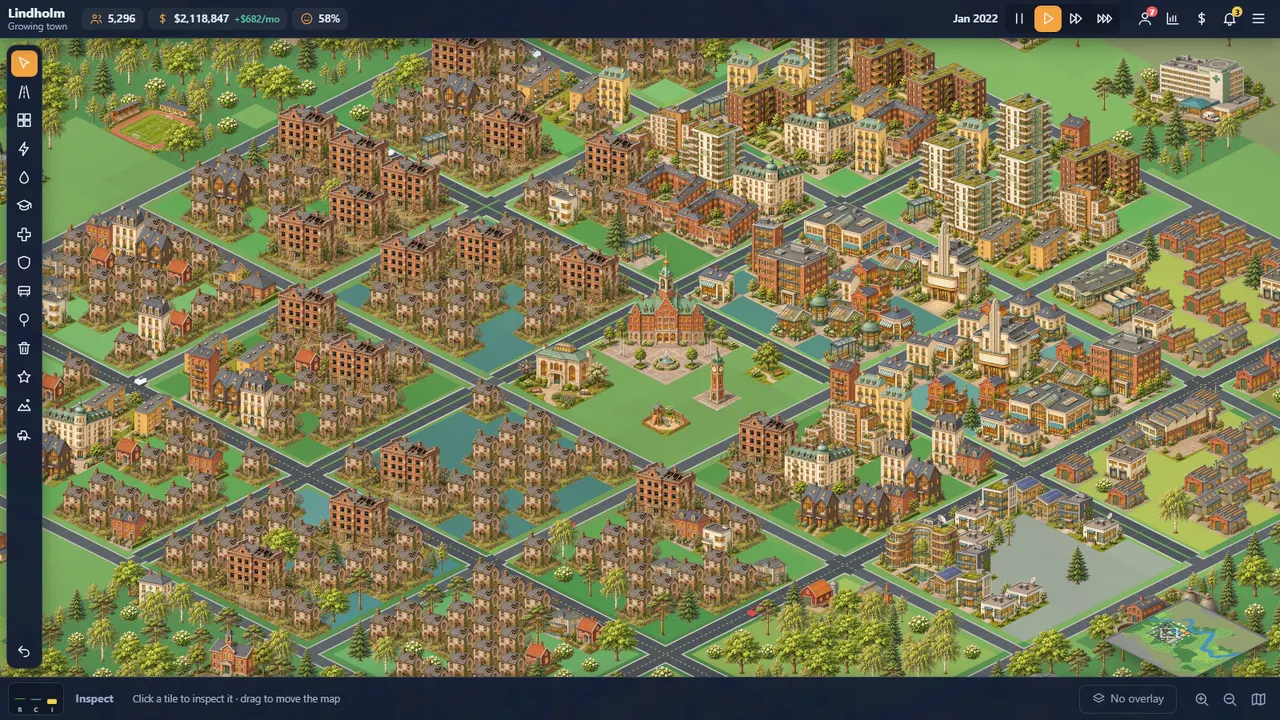
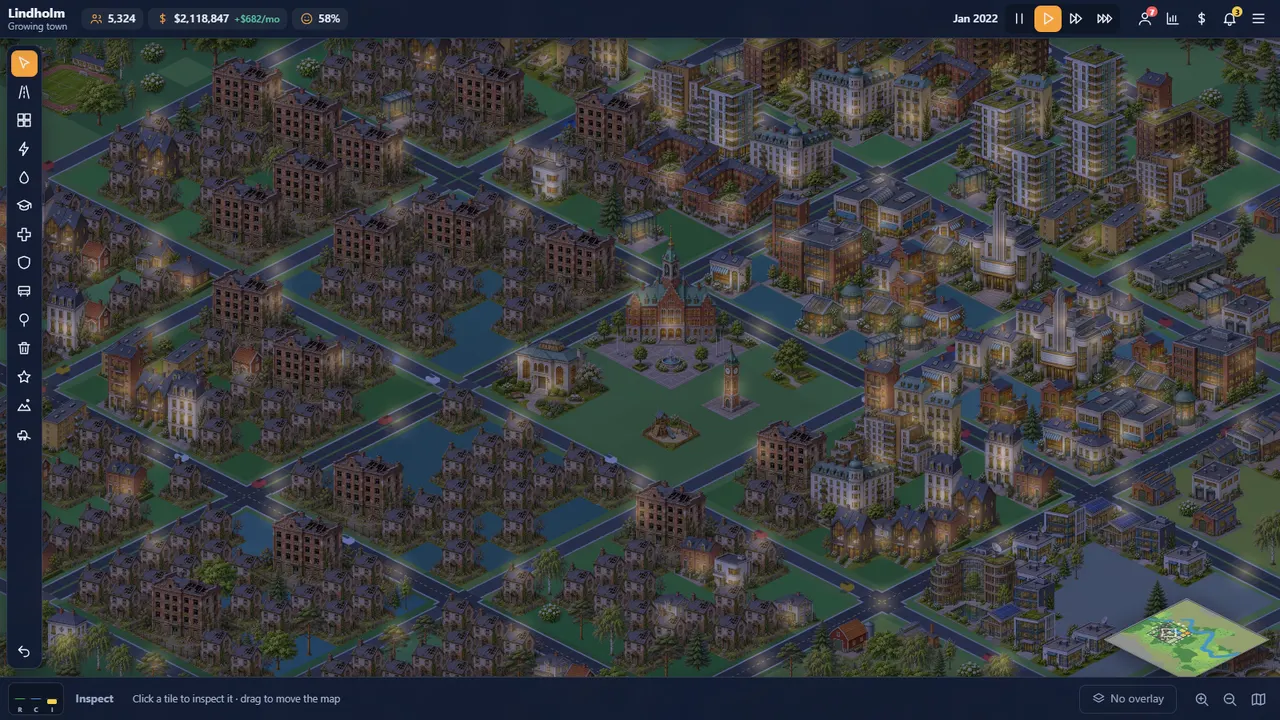
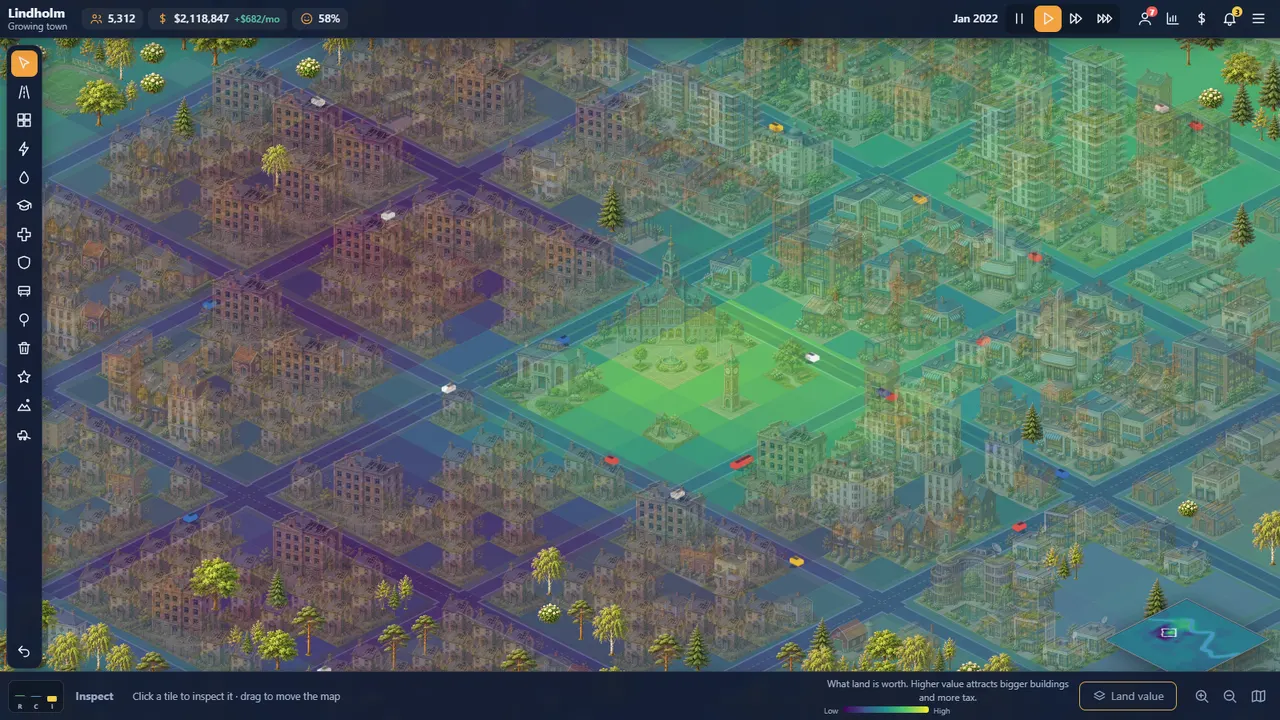
How to play
- Draw a road. Every tile within three tiles of a road has road access, electricity and water reach.
- Zone land beside it: residential for homes, commercial for shops and offices, industrial for farms and factories.
- Build a power plant and a water tower next to a road. Zoned land will not develop without electricity.
- Unpause and watch the demand bars. Zone more of whatever is in demand; stop when a bar drops.
- Add schools, clinics, police, fire stations and parks as taxes start to come in. Each has a monthly upkeep.
- Check the budget at the end of each month and keep income above spending. Taxes above 9 percent slow growth.
- Use the overlays and advisors to find problems: congestion, pollution, crime, missing coverage, abandoned buildings.
- Reach population milestones to unlock denser zones, cleaner power, bigger services, transit and landmarks.
Controls
Keyboard
- W A S D or arrow keys: pan the map
- Mouse wheel, + and −: zoom
- Space: pause or resume
- 1, 2, 3: simulation speed
- Q or Esc: back to the inspect tool
- R: road, Z: zone, B: bulldozer
- O: next overlay (Shift+O: previous)
- Ctrl+Z: undo last construction
- Ctrl+S: save, F: fullscreen
Touch
- Drag with the inspect tool: pan the map
- Pinch: zoom
- Tap with a build tool: place
- Drag with a build tool: draw roads, zones and bulldozer areas
- Tap a tile with the inspect tool: see its details
Guides
These guides explain how the simulation actually behaves, with the real numbers behind it.
- How to play Urban Foundry — The interface, the controls and the first ten minutes: roads, zones, power, water and the clock.
- Beginner’s guide: your first town — A step-by-step opening that reaches the first milestones without running out of money.
- City planning: blocks, land value and density — How road access, lot merging, land value and service coverage decide what gets built where.
- Traffic: how commuting works and how to fix congestion — The commute model, road capacities, why jams form, and what buses, metro and road upgrades really change.
- Building a clean, sustainable city — Where air and water pollution come from in the simulation, and the power, waste and planning choices that keep them low.
- The municipal budget: taxes, upkeep and loans — Every income and expense line explained, what tax rates do to demand, and how loans and the one-time bailout work.
- RCI demand explained — What drives residential, commercial and industrial demand in the simulation, and how to read and steer the three bars.
- Advanced strategies for bigger cities — Unlock order, map-size scaling, funding tricks, disaster preparation and how to approach each challenge scenario.
Frequently asked questions
Is Urban Foundry free?
Yes. The whole game is free to play in the browser, with no account, no download and no advertising in the game.
Where are my cities saved?
In your own browser, using its built-in storage. Autosave runs every three game months and when you leave the tab. Saves stay on the device and are not synchronised, so use Export in the load screen to back a city up or move it to another browser.
Does it work on a phone or tablet?
Yes, with touch: drag to pan, pinch to zoom, tap and drag to build. The game is designed for desktop first; a tablet is comfortable, and a phone is best for inspecting and light building.
Can I play offline?
After the first visit the game files are cached in your browser, so it starts without a connection, and on supported browsers it can be installed as an app.
Can I build railways, trams or change the terrain?
Not in this release. Public transport consists of bus stops with depots and metro stations that work by coverage radius. Railways, trams, terrain editing and building rotation are on the roadmap.
How large can a city get?
Maps come in four sizes up to 192×192 tiles. Population milestones run from Village to Megacity, and each one unlocks new buildings and pays a grant.
Can I lose?
In classic mode there is no game over. If the treasury falls far below zero the region bails you out once; after that you have to cut costs or grow your way back. The four challenges have goals and deadlines and can be failed.
Which languages are available?
English and Swedish. The language follows the page you open, and you can switch in the settings.
Is any personal data collected?
There are no accounts and your cities never leave your device. The hosted version uses privacy-friendly, cookie-free page statistics.
From the developer
Urban Foundry is an independent project by Robert Erlandsson, built with TypeScript and Phaser 4. The simulation, the code, the artwork and the audio are original. It is made for people who loved the city builders of the 1990s and want that depth in a browser tab, in a game that respects your time and shows its working: every figure in the game comes from a model you can read about in the guides.
This is the first public release. Feedback and bug reports are welcome through the contact page.
More free games at EverydayGames · Other projects at erlandsson.online